Sydney IT Training • Career-Ready Programs • Industry-Focused Learning
Book Consultation
Home IT Training Sydney Networking Training Sydney
Practical Networking Training Sydney

Understand How Networks Connect. Learn How to Keep Them Working.

Build practical networking skills across TCP/IP, IP addressing, subnetting, switching, VLANs, routing, DNS, DHCP, wireless networks, security, monitoring and troubleshooting.

IT Launchpad helps students, graduates, career changers and IT professionals develop a stronger understanding of how devices communicate, how networks are structured and how technical teams investigate connectivity problems.

Network fundamentals
Routing & switching
Troubleshooting
Network equipment and connected cables inside modern IT infrastructure
Network Traffic Map Connect → Route → Deliver → Verify
Device
Switch
Router
Network
Service
What Is Networking Training?

Almost Every IT System Depends on Something Being Able to Communicate.

Networks connect users, computers, servers, applications, cloud platforms, printers, phones, wireless devices and other technology. When those connections work properly, most people rarely think about the network underneath them. When connectivity fails, however, the network quickly becomes one of the first places technical teams need to investigate.

IT Launchpad's Networking Training Sydney pathway is designed to help learners understand how those connections work rather than simply memorising commands or device configurations.

A strong networking foundation includes understanding how information moves, how devices identify one another, how switches organise local communication, how routers move traffic between networks and how services such as DNS and DHCP support everyday connectivity.

Networking is also closely connected with other technology disciplines. Strong network knowledge can support IT support, cyber security, cloud computing, systems administration and broader infrastructure careers.

Your technical training can also connect with the Career Ready Program, focused technical development through IT Bootcamp Sydney and workplace exposure through the IT Internship Sydney pathway.

Good networking training should help you answer “why?”

Why can these devices communicate? Why can these two networks not connect? Why does one service work while another fails? Understanding those relationships is more valuable than memorising a configuration without understanding what it changes.

Networking Foundations

Build the Technical Foundation Before the Configuration Commands.

Networking becomes much easier when you understand what each component is responsible for and how information moves between devices.

TCP/IP Fundamentals

Understand the communication concepts that allow systems and applications to exchange information across modern networks.

IP Addressing

Develop a clearer understanding of addresses, networks, hosts and how IP information helps devices locate one another.

Switching

Learn how switches connect devices within local networks and how segmentation can organise network communication.

Routing

Understand how traffic moves between different networks and why routing decisions are fundamental to connectivity.

Wireless Networking

Explore how devices connect without physical cabling and why wireless coverage, interference and security matter.

Troubleshooting

Develop a structured way to investigate connectivity problems rather than changing settings randomly and hoping something works.

Inside Networking Training

Learn Networking Layer by Layer.

A useful networking pathway progresses from understanding communication concepts into addressing, switching, routing, network services, security and troubleshooting.

01 Network Models

Understand how network communication can be broken into layers.

Network models provide a structured way to understand communication. Rather than seeing networking as one complicated process, learners can think about different responsibilities such as physical connectivity, addressing, transport and application communication.

This becomes especially useful during troubleshooting because different symptoms often point towards different parts of the communication process.

  • TCP/IP concepts
  • OSI model awareness
  • Protocols and services
  • End-to-end communication
02 IP Addressing

Understand how devices identify themselves on a network.

IP addressing is one of the most important networking foundations. Learners need to understand the difference between a device address and a network, how addresses are grouped and how systems determine whether another destination is local or remote.

Subnetting then extends this understanding by helping divide larger address spaces into more manageable network segments.

  • IPv4 addressing
  • Network and host concepts
  • Subnetting fundamentals
  • Default gateways
03 Switching

Learn how devices communicate inside a local network.

Switching is fundamental to local network connectivity. Learners develop an understanding of how network devices forward traffic and how a larger physical network can be logically organised into separate segments.

Understanding switching also creates stronger foundations for network troubleshooting and security.

  • Switch operation
  • Local connectivity
  • VLAN concepts
  • Network segmentation
04 Routing

Understand how traffic moves beyond the local network.

Routing allows communication between different networks. Routers need information that helps them determine where traffic should go next.

Understanding routing gives learners a clearer view of how office networks connect with other sites, data centres, cloud environments and the wider internet.

  • Routing fundamentals
  • Routing tables
  • Next-hop thinking
  • Inter-network communication
05 Network Services

Understand the services that make everyday networking usable.

Users normally work with names rather than IP addresses, and devices need configuration before they can communicate. Services such as DNS and DHCP support these everyday networking requirements.

Understanding these services also helps troubleshoot situations where basic connectivity may exist but an application or user experience is still failing.

  • DNS fundamentals
  • DHCP concepts
  • Name resolution
  • Automatic configuration
06 Wireless

Understand networking when the cable disappears.

Wireless networking provides mobility, but it introduces additional considerations around coverage, interference, access and security.

Learners benefit from understanding that wireless devices still participate in the broader network environment and depend on many of the same addressing, routing and service concepts.

  • Wireless fundamentals
  • Coverage awareness
  • Interference concepts
  • Wireless security awareness
07 Network Security

Understand why connectivity also creates exposure.

Networks exist so systems can communicate, but not every system should be able to reach every other system without restriction.

Networking training therefore introduces security thinking around segmentation, access and reducing unnecessary exposure. Learners interested in deeper security development can also explore Cyber Security Training Sydney.

  • Network exposure
  • Segmentation
  • Access-control concepts
  • Security awareness
08 Troubleshooting

Learn how to investigate when connectivity fails.

Troubleshooting is where networking knowledge becomes practical. Instead of immediately changing settings, learners should develop a structured process that begins with understanding the problem and gathering evidence.

Effective troubleshooting asks whether the issue involves the device, physical connection, address configuration, local network, route, network service, security control or destination.

  • Connectivity testing
  • Structured investigation
  • Configuration checking
  • Root-cause thinking
Think Like the Network

Follow the Traffic Before You Try to Fix the Problem.

Network troubleshooting becomes easier when you can mentally follow the path information needs to take from the user's device to the service they are trying to reach.

01

Device

Does the device have the correct network configuration and a working connection?

02

Local Network

Can the device communicate with resources inside the local network segment?

03

Gateway

Is traffic able to leave the local network and reach the next destination?

04

Path

Is routing carrying the traffic through the expected network path?

05

Destination

Is the destination available, listening and able to respond to the request?

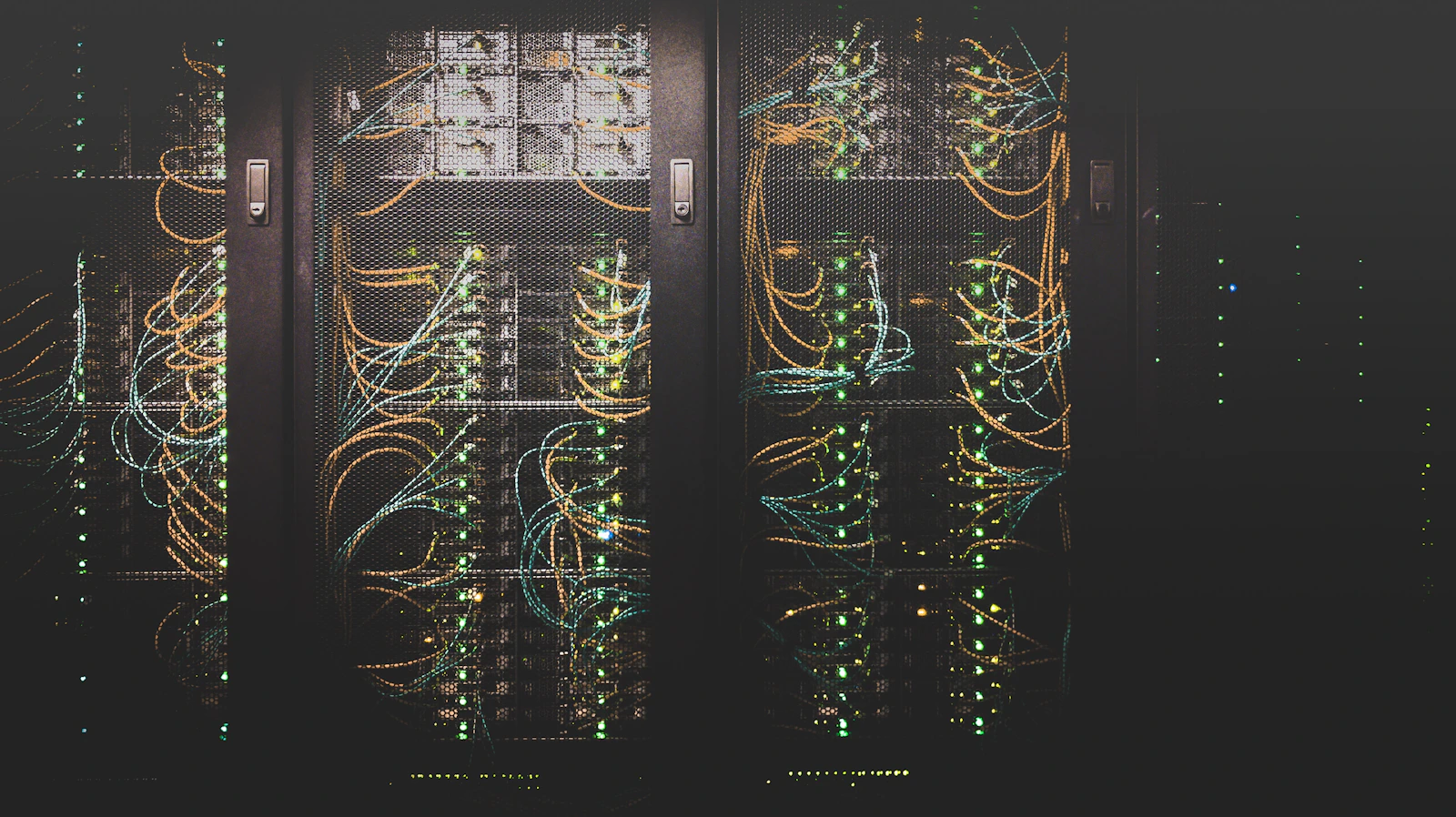
Server racks and networking equipment inside a modern data centre
Networking Is About Relationships

A single failed connection can involve many different systems.

A user may report that “the internet is down,” but the actual cause could sit somewhere very different: wireless connectivity, an incorrect IP configuration, DNS, a route, a security rule, an unavailable service or a wider infrastructure issue.

Strong networking knowledge helps you break that vague problem into smaller technical questions and investigate each part logically.

That problem-solving capability is valuable across networking, cloud computing, cyber security, support and infrastructure roles.

Explore All IT Training
Practical Networking Skills

Learn to Configure, Verify and Troubleshoot.

Networking capability develops when you move repeatedly between understanding the theory and using that understanding to explain real connectivity behaviour.

01

Understand

Build a mental model of how addresses, switches, routers and services work together.

02

Configure

Apply networking concepts through practical settings and infrastructure scenarios.

03

Verify

Check whether the network is behaving as expected instead of assuming that a configuration worked.

04

Troubleshoot

Use evidence and a structured process to identify where communication is breaking down.

Who Is Networking Training For?

Networking Skills Support Many Different IT Careers.

IT Graduates

Strengthen practical networking capability beyond academic theory and become more confident explaining how infrastructure communicates.

Current IT Students

Complement formal study with practical understanding of IP addressing, switching, routing and network troubleshooting.

IT Support Professionals

Build stronger networking knowledge to investigate connectivity problems and understand the infrastructure behind user-facing issues.

Cyber Security Learners

Develop the networking foundation needed to understand traffic, network exposure, segmentation and network-focused security investigation.

Cloud Learners

Strengthen addressing, routing and connectivity knowledge before working with virtual networks and hybrid cloud infrastructure.

Career Changers

Build a technical networking foundation while exploring support, infrastructure, cloud and cyber security career directions.

Networking Career Directions

Network Skills Can Support Several Technology Pathways.

Networking is both a specialist area and a foundation for other infrastructure disciplines. The direction you pursue determines which additional skills you need to develop.

Direction 01

Network Support

Support users and systems by investigating connectivity, addressing, access and network-related technical problems.

Direction 02

Network Administration

Build stronger capability around maintaining network infrastructure, connectivity, configuration and availability.

Direction 03

Network Engineering

Progress towards deeper network design, routing, switching, infrastructure and troubleshooting responsibilities.

Direction 04

Network Security

Combine networking knowledge with stronger cyber security capability around traffic, segmentation, access and infrastructure protection.

Direction 05

Cloud Networking

Apply networking fundamentals inside virtual cloud environments and hybrid infrastructure.

Direction 06

Infrastructure Operations

Combine systems, networking, cloud and troubleshooting capability across broader IT infrastructure responsibilities.

Build Your Networking Career Pathway

Technical Training Is One Part of Becoming Career Ready.

Focus your development

IT Bootcamp

Use concentrated practical learning when you want stronger focus around networking or another technical area.

Explore IT Bootcamp →
Build workplace context

IT Internship

Develop greater understanding of technology teams, professional communication, responsibilities and workplace environments.

Explore IT Internship →
Strengthen career positioning

Career Ready Program

Connect your technical capability with career direction, resume, LinkedIn and interview preparation.

Explore Career Ready →

Need networking or infrastructure training for your technical team?

Organisations can explore Corporate IT Training Sydney for workplace-focused networking, cloud, cyber security, IT support and broader technical capability development.

Corporate IT Training
How to Start Networking Training

Build the Fundamentals Before Trying to Memorise Advanced Configurations.

Networking becomes much easier when the learning happens in the right order — from communication concepts and addressing through switching, routing and troubleshooting.

01

Understand Communication

Learn the basic models, protocols and concepts behind network communication.

02

Learn Addressing

Understand IP addresses, networks, subnetting and how devices identify destinations.

03

Connect Networks

Build understanding of switching, VLANs, routing and network services.

04

Verify & Secure

Check connectivity, understand segmentation and develop greater awareness of network exposure.

05

Troubleshoot

Develop a structured method for investigating technical problems and identifying likely causes.

Networking Training Sydney

Practical Networking Skills for Modern IT Infrastructure.

Networking Training in Sydney for Students, Graduates and IT Professionals

Networking remains one of the fundamental technical areas within information technology. Whether an organisation operates physical servers, cloud infrastructure, wireless networks, business applications or remote work environments, systems still need a reliable way to communicate.

For this reason, networking knowledge can support many different technology careers. IT support professionals troubleshoot connectivity. Cloud engineers work with virtual networks. Cyber security professionals analyse traffic and network exposure. Infrastructure teams need to understand how systems communicate across offices, data centres and cloud environments.

IT Launchpad's networking training in Sydney is designed to develop these foundations through practical, career-focused learning.

TCP/IP and network communication

TCP/IP provides much of the foundation for modern network communication. Learners need to understand that different protocols perform different jobs and that communication occurs through a series of coordinated technical processes.

Building this mental model helps networking students understand why certain troubleshooting tests are useful and why a problem at one part of communication may affect an application differently from a problem somewhere else.

IP addressing and subnetting training

IP addressing tells devices where they are within a network environment. Learners need to understand which part of an address identifies the network, which part identifies the host and how a system decides whether it can communicate directly with another device.

Subnetting builds on those concepts by allowing network address spaces to be divided into smaller segments. Although subnetting initially appears mathematical, it becomes much easier when learners understand the networking purpose behind the calculation.

Switching and VLAN training

Switches are central to local network connectivity. They allow devices to communicate across a shared infrastructure while providing greater flexibility than simply connecting every device directly to every other device.

VLAN concepts add another layer by allowing logical separation within network infrastructure. This can support organisation, performance, security and operational requirements.

Routing training in Sydney

Routing becomes important whenever traffic needs to move beyond its local network. Routers use routing information to determine how traffic should progress towards another network.

Understanding routing gives learners a clearer view of how an office network can communicate with another site, a cloud environment, a data centre or the internet.

It also helps explain why a system may communicate successfully with some destinations while being unable to reach others.

DNS and DHCP networking fundamentals

Networking is easier for users because supporting services handle many technical details automatically. DNS allows people and applications to work with names instead of remembering IP addresses. DHCP can provide network configuration automatically to devices.

These services are also common troubleshooting areas. A device may have network connectivity but still appear unable to reach a service because name resolution is failing.

Understanding the difference between connectivity and network services helps learners diagnose problems more accurately.

Wireless networking training

Wireless connectivity removes the requirement for a physical cable between an end device and the network, but it introduces additional variables.

Coverage, interference, authentication and wireless security can all influence the user experience. A strong networking foundation helps learners understand that Wi-Fi is still part of the broader network and must eventually connect users with the same applications, services and destinations.

Networking and cyber security

Networking knowledge is particularly valuable for cyber security because many security issues involve communication between systems.

Security professionals may need to understand where traffic originated, where it was travelling, which systems were accessible and whether network activity was expected.

Learners interested in deeper security development can combine networking with Cyber Security Training Sydney.

Networking and cloud computing

Moving infrastructure into the cloud does not remove networking. Cloud services still depend on addressing, routing and controlled connectivity.

Virtual networks may look different from physical office networking, but many of the underlying concepts remain familiar. Understanding networking therefore creates an important technical foundation for cloud infrastructure.

Explore Cloud Computing Training Sydney for deeper cloud development.

Networking and IT support

Network problems often appear first as user support problems. A user may report that email is unavailable, a website does not load, a shared drive cannot be reached or a wireless connection is unreliable.

Support professionals with stronger networking knowledge can investigate these issues more systematically because they understand the infrastructure underneath the user's experience.

People building broader support skills can explore IT Support Training Sydney.

Network troubleshooting training

Troubleshooting is one of the most important practical networking skills. A strong troubleshooter avoids making random configuration changes and instead tries to understand where communication is failing.

This may involve checking physical connectivity, device configuration, IP addresses, gateways, DNS, network paths, security controls and destination availability.

The process develops technical reasoning that can transfer into many other IT disciplines.

Networking bootcamp Sydney

Learners seeking more concentrated technical development can explore IT Bootcamp Sydney. A focused networking pathway can be useful when you already understand your intended technical direction and want greater emphasis on applied learning.

Networking internship and workplace experience

Technical networking training develops knowledge and practical capability, while workplace experience develops a different set of skills. Technology teams also need communication, documentation, collaboration and professional responsibility.

Learners seeking broader workplace exposure can explore the IT Internship Sydney pathway.

Networking career preparation

Technical knowledge is only part of demonstrating your capability to an employer. Candidates may need to explain how they approached a network problem, what troubleshooting process they followed and why they made particular technical decisions.

IT Launchpad's Career Ready Program can complement networking development with career direction, professional positioning, resume and LinkedIn development and interview preparation.

Corporate networking training Sydney

Organisations may also require networking development for internal support teams, infrastructure staff, technical employees or professionals moving into more complex technology environments.

Businesses can explore Corporate IT Training Sydney for workplace-focused networking and wider technical capability development.

Does networking training guarantee an IT job?

No legitimate training program can guarantee employment. Recruitment decisions depend on technical capability, previous experience, communication, competition, role requirements and the employer's own hiring process.

Practical networking training should therefore be viewed as capability development. It can help strengthen your technical foundation and prepare you for additional training, workplace experience and future opportunities.

Networking Training Sydney FAQs

Questions About Learning Computer Networking in Sydney.

Build the foundations first, then progress towards more specialised networking, cloud and security capability.

What does networking training cover?

Networking training can include TCP/IP, network models, IP addressing, subnetting, switching, VLANs, routing, DNS, DHCP, wireless networking, network security and troubleshooting.

Who is Networking Training Sydney suitable for?

It may be suitable for IT students, graduates, IT support professionals, cyber security learners, cloud learners, career changers and existing technology professionals who want stronger network capability.

Do I need previous networking experience?

Your starting point depends on the training depth. People beginning with networking fundamentals can start by developing basic knowledge of computer systems, connectivity and TCP/IP concepts.

Does networking training include IP addressing?

IP addressing is a core networking foundation because devices need network information to communicate and determine whether a destination is local or remote.

Will I learn subnetting?

Subnetting is an important networking concept because it helps divide address spaces into smaller network segments and supports stronger understanding of IP addressing.

Does networking training include switching and VLANs?

Switching and VLAN concepts can form part of practical networking development because they help explain local connectivity and network segmentation.

Does networking training include routing?

Routing is an important networking topic because it explains how traffic moves between different networks rather than remaining within a single local network.

Do I learn DNS and DHCP?

DNS and DHCP are important network services. Understanding them helps learners recognise the difference between a connectivity problem and a problem with name resolution or network configuration.

Does networking training include Wi-Fi and wireless networks?

Wireless networking concepts can include connectivity, coverage, interference and security while connecting those topics with broader IP networking principles.

Is networking important for cyber security?

Yes. Networking knowledge can help security learners understand traffic, network exposure, segmentation and communication between systems. Explore Cyber Security Training Sydney for deeper security development.

Is networking important for cloud computing?

Yes. Cloud environments still depend on addressing, routing and connectivity. Explore Cloud Computing Training Sydney for the dedicated cloud pathway.

Can IT support professionals benefit from networking training?

Yes. User-facing problems often involve connectivity, DNS, wireless networks or network configuration, so networking knowledge can strengthen troubleshooting capability. See IT Support Training Sydney.

Does IT Launchpad provide Cisco or CCNA training?

This page focuses on practical networking capability and transferable networking foundations. Contact IT Launchpad to confirm which vendor-specific platforms, certification-aligned content or current networking programs are available before relying on a particular certification pathway.

What networking careers can I work towards?

Networking skills can support development towards network support, network administration, network engineering, network security, cloud networking and broader infrastructure roles. Training does not guarantee employment.

Is there a networking bootcamp in Sydney?

Learners looking for more focused practical development can explore IT Bootcamp Sydney and discuss whether a networking-focused pathway is appropriate.

Can networking training be combined with an internship?

Technical training and workplace experience serve different purposes and may complement one another. Explore IT Internship Sydney for the workplace-focused pathway.

Can IT Launchpad help with networking career preparation?

The Career Ready Program focuses on career direction, professional positioning, resume and LinkedIn development and interview preparation alongside technical capability.

Do you provide networking training for businesses?

Businesses can explore Corporate IT Training Sydney for workplace-focused networking, infrastructure, cloud, cyber security and IT support development.

Does networking training guarantee employment?

No. Training develops capability, but employment depends on skills, experience, communication, competition, available positions and employer requirements.

How do I start networking training with IT Launchpad?

Start by contacting IT Launchpad and sharing your current IT knowledge, previous experience and whether you are interested in support, networking, infrastructure, cloud or cyber security.

Do not just memorise networking commands. Understand what the network is actually doing.

Talk with IT Launchpad about your current technical foundation and the direction you want to pursue. Build a clearer pathway across networking, cloud computing, cyber security, practical training, workplace experience and career preparation.

Discuss Networking Training